SOFTWARE
VERICHROME's solutions are at the forefront of spectral imaging and colour management. Our approach utilizes spectral data rather than traditional RGB information, enabling superior capabilities. By utilizing spectral profiles, we can calculate desired colours dynamically, surpassing the limitations of XYZ coordinates in traditional LMS derivative spaces like RGB, Lab, and sRGB.
Our flagship Direct Scene-Referred (DSR™) technology enables precise colour reproduction across a huge range of lighting conditions. This technology forms the core of our adaptive colour intelligence systems, providing unparalleled accuracy for professionals in cinematography, photography, and scientific imaging.
VERICHROME's software portfolio includes Chameleon, our dedicated tool for creating precise Relative Input Device Transforms (IDTs), and Oriel, our spectral image processing suite currently in development. These solutions cater to diverse fields such as film production, art preservation, and scientific research, offering innovative tools for both professional spectral imaging and advanced colour management in various applications.
Input Device Transforms
(IDTs)
Input Device Transforms (IDTs) are an integral part of the imaging process, ensuring that real-world captured data is accurately represented in digital form. These transforms are essential for maintaining precise colour representation across various scenarios.
Absolute IDT's
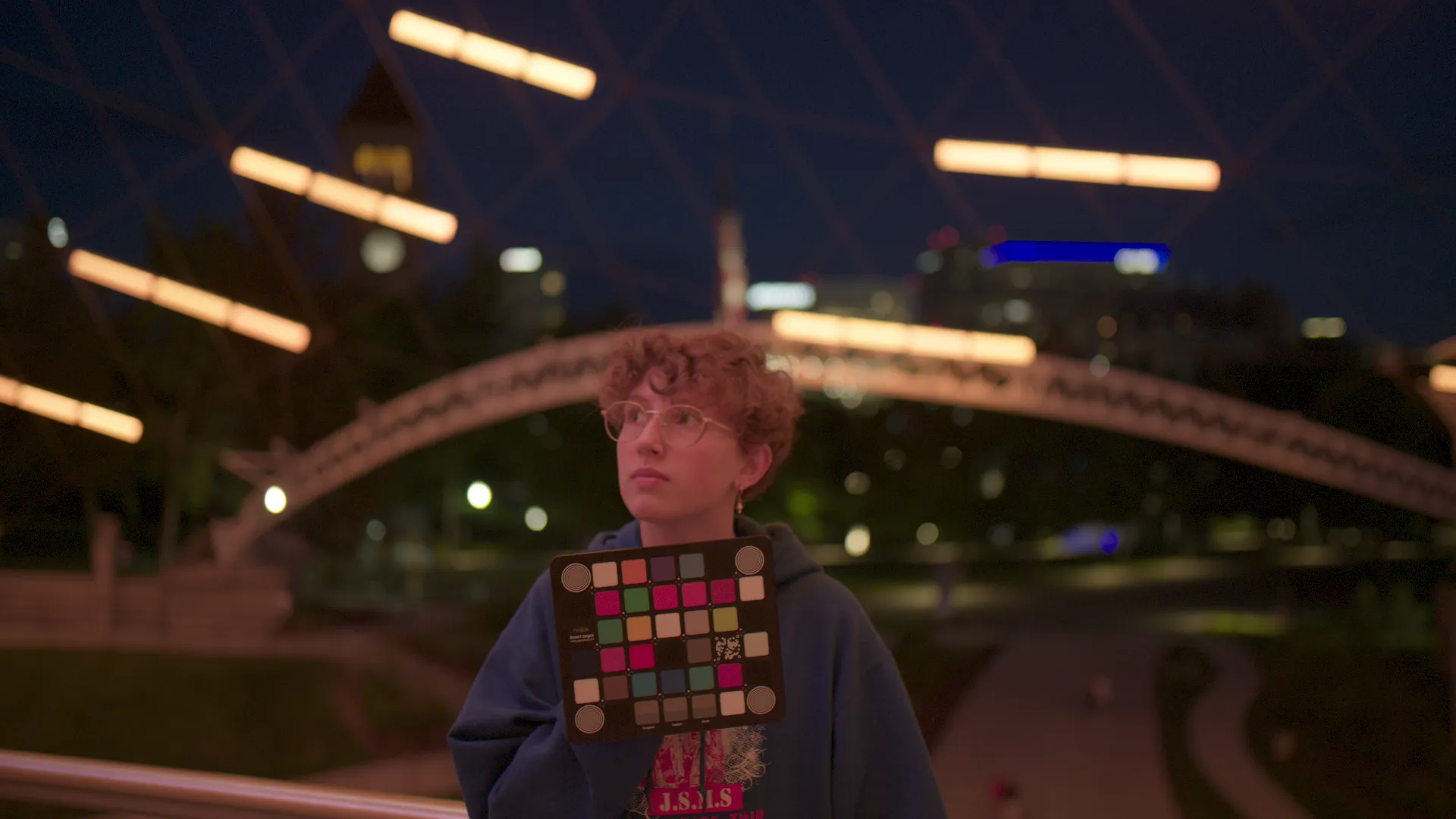
Absolute IDT
Represents colours exactly as observed, including any ambient colour casts. While not always aesthetically pleasing, Absolute IDT's ideally provide an accurate representation of the scene as captured.
Relative IDT's
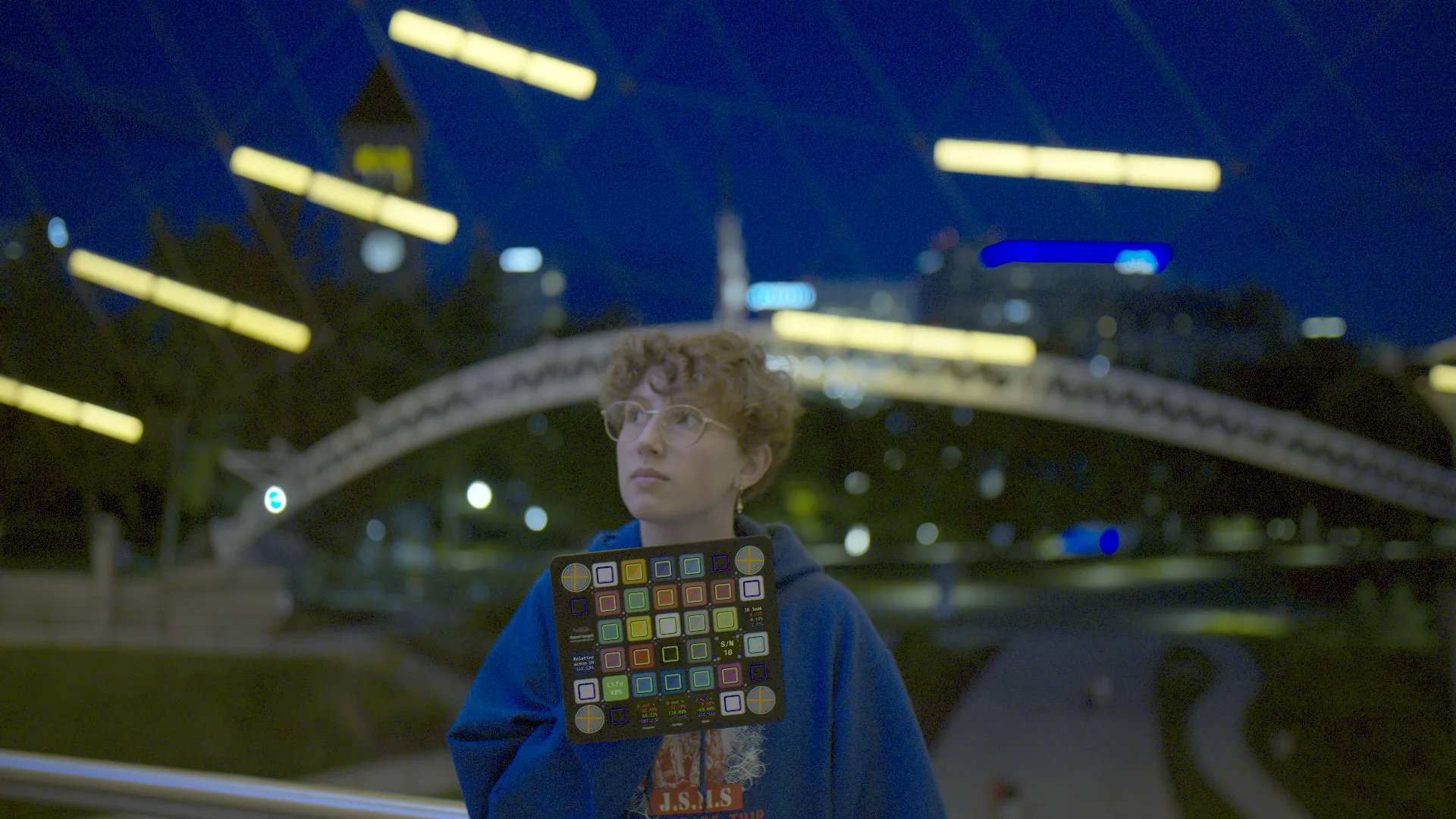
Relative IDT (DSR™)
Utilizes Direct Scene-Referred (DSR™) technology to render colours based on the object's physical properties, independent of lighting conditions. Relative IDT's enable consistent colour reproduction across varied environments. Chameleon is great for generating scene Relative IDT's using our proprietary automatic DSR™ technology.
Creative IDT's
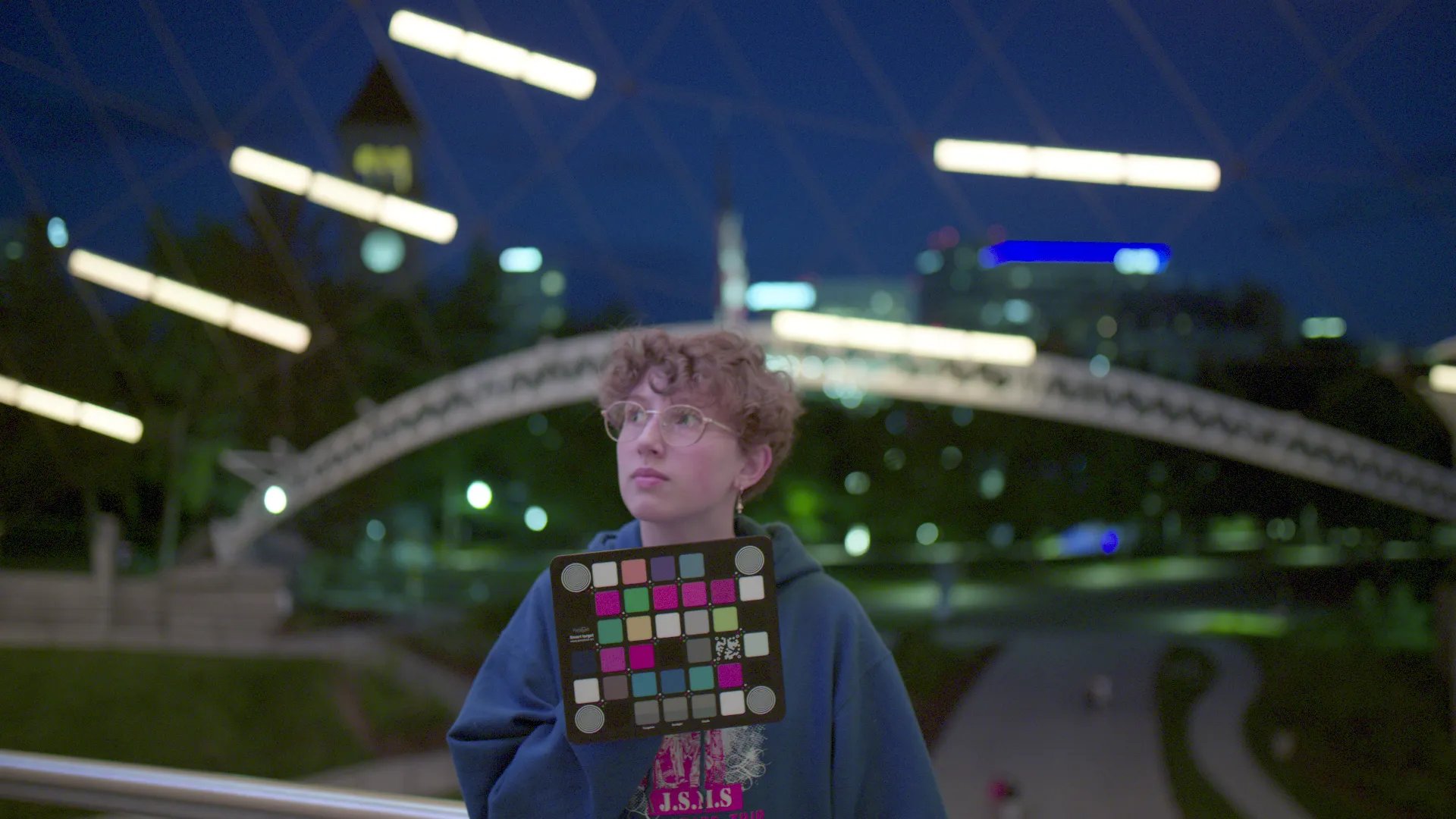
Creative IDT
Chromatic Adaptation
(white balance)
A simple white balance operation that attempts to simulate human visual adjustment to different
lighting. While it removes overall colour casts, it often misrepresents the colours of objects in the
scene.
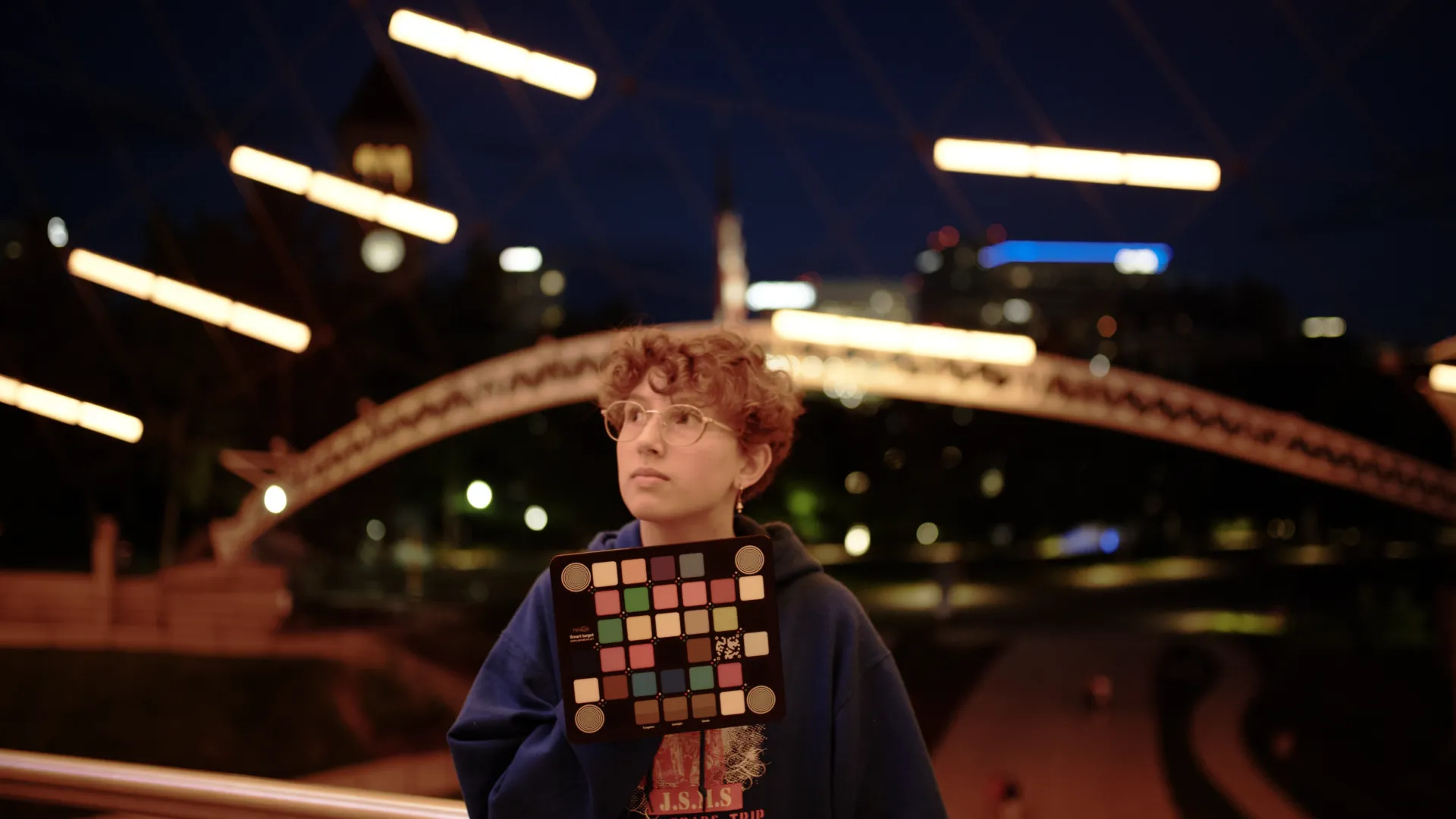
Creative IDT
Stock Camera Settings
Most cameras come equipped with Creative IDTs as their default settings. Very few support Relative IDTs. These presets are designed by camera manufacturers to produce images with modified colours and contrast to achieve their specific 'look'. While these settings don't represent the scene accurately, they can be useful for certain artistic applications or for users who prefer a specific aesthetic straight out of the camera. However, for individuals seeking precise colour reproduction or scientific accuracy, other IDT types like Absolute or Relative (DSR™) are generally more appropriate.
Technical IDT's

Near Infrared
Technical IDT
X-Ray
Technical IDT
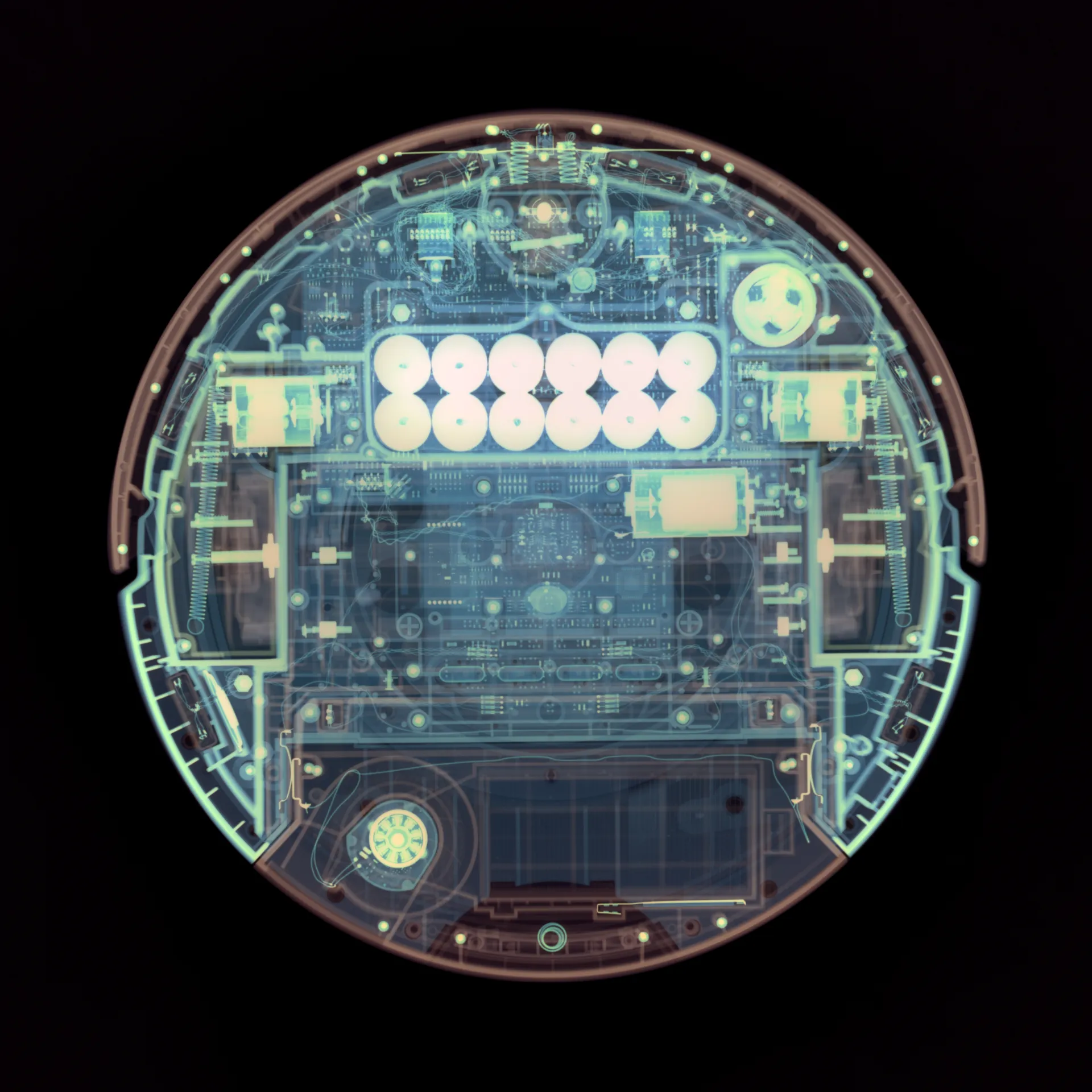
Employed in scientific, artistic, and specialized applications, Technical IDTs remap spectral data to visualize information usually beyond human perception. In science, they can highlight vegetation health in satellite imagery or enhance tissue differentiation in medical diagnostics. Artists use them to explore new realms, creating visually striking works that challenge our understanding of light and colour.
Chameleon
Adaptive Colour Intelligence
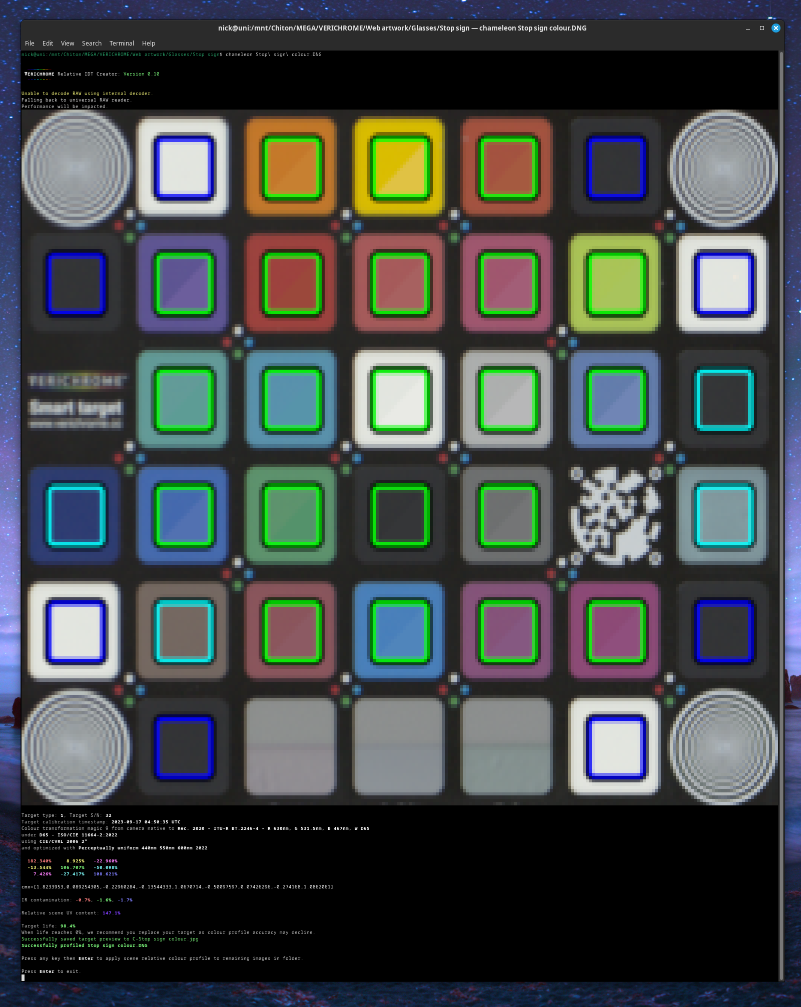
Chameleon is our Direct Scene-Referred software solution for creating precise, Relative Input Device Transforms (IDTs). Harnessing the power of spectral data, Chameleon redefines colour workflow for professionals in cinematography, photography, and scientific imaging giving direct access to surface colours invariant of lighting.
Key Features:
- Spectral Analysis Engine: Utilizes full-spectrum data to create extremely accurate Relative IDT's.
- Adaptive DSR™ Technology: Automatically generates Relative IDTs using our Direct Scene-Referred detection, alignment and spectral solutions.
- Multi-Illuminant Optimization: Simultaneously creates IDTs for various lighting conditions from a set of captures.
- Real-time Visualization: Instantly preview different IDT's and their effects.
- Smart Target Integration: Utilize the Smart Target for unparalleled DSR™ profiles.
Workflow Integration:
Chameleon is available as a DaVinci Resolve plugin and as a command line tool. It supports a wide range of RAW formats, including:
- Adobe DNG
- ARRI's ARI
- Canon CR2 and CRW
- Cinema DNG
- Epson ERF
- Fuji RAF
- Hasselblad 3FR
- Kodak DCR, DCS, and KDC
- Leaf IIQ and MOS
- Mamiya MEF
- Minolta MRW
- Naked files
- Nikon NEF and NRW
- Olympus ORF
- OpenRAW
- Panasonic RW2 (also used by Leica)
- Pentax PEF
- Samsung SRW
- Sony ARW, SRF, and SR2
The Resolve plugin operates in real time within Fusion's GPU pipeline.
Industries We Serve:
- Film and Television Production
- Fine Art Reproduction
- Scientific and Medical Imaging
- Archival and Conservation
- Product Photography
- Virtual Production
Install DaVinci Resolve Plugin:
One-line install for macOS, Linux, and Windows. Downloads the native library and Fuse plugin directly into Resolve's Fuses directory.
macOS & Linux
curl -sSfL https://brobdingnagian.holdmyoscilloscope.com/chameleon/install-release.sh | shWindows (PowerShell)
powershell -ExecutionPolicy Bypass -c "irm https://brobdingnagian.holdmyoscilloscope.com/chameleon/install-release.ps1 | iex"Sample Footage:
Download Sample FootageTransform your colour workflow. Adapt to any scenario. Master your visual narrative with Chameleon.
Oriel
Fluent in the Language of Light
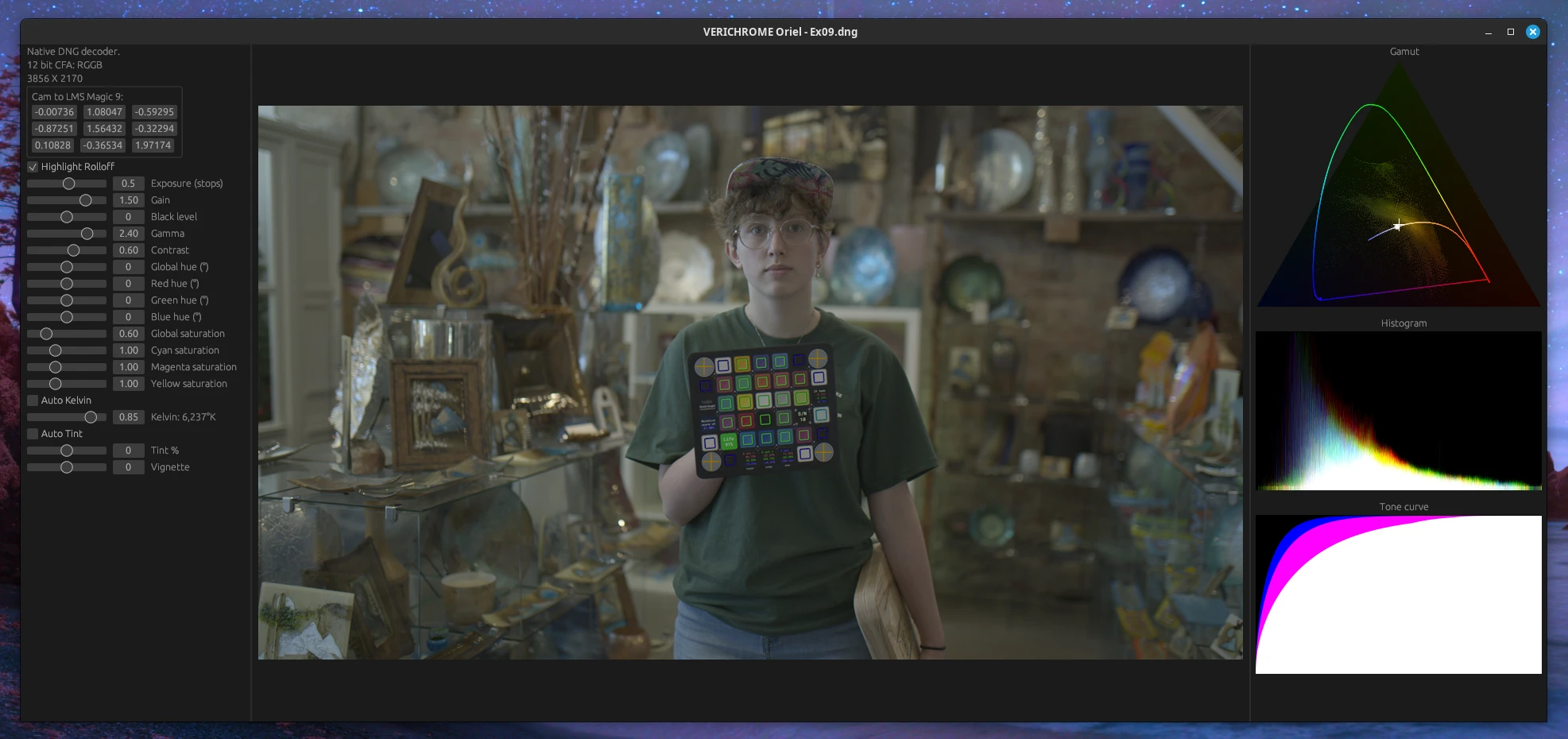
Oriel is our spectral image processing suite in development, set to transform how visual industries handle colour. At its core, Oriel speaks the language of light, working with full spectral data rather than traditional RGB values.
Key Features:
- Node-based editing with Rust-powered flexibility
- Customizable interface, optionally cloud-synced via TOKEN
- Native support for our Versatile Storage Format (VSF)
- Non-linear timeline for complex image sequence editing
- GPU-accelerated spectral processing engine
- Direct spectrometer input for real-world colour integration
- True linear, log and RAW histograms
- Spectral colour picker and spectral metrics
- Asses lighting quality and relighting accuracy
Capabilities:
- Physical light and material interaction simulation
- Spectral brush engine for true-to-life digital painting
- Comprehensive spectral and traditional profile management
- Flawless integration with our Smart Target technology
Beyond Image Processing:
- TOKEN sync for secure, device-agnostic user profiles
- Built-in tools for verifying digital asset authenticity and origin
- Robust tracking of digital asset lineage and ownership
Oriel delivers pristine colour accuracy from capture to display. We're building more than software; we're creating an ecosystem for the future of content. This includes new paradigms in data sovereignty, digital asset management and end user delivery.
While Oriel is still in development, we're excited about its potential to reshape the visual industry landscape. We welcome industry partners who share our vision for spectral-based workflows or data sovereignty. Whether you're a hardware manufacturer, software developer, or content creator, there are opportunities to integrate with and influence Oriel's evolving ecosystem. Stay connected for updates, future beta testing opportunities, and partnership inquiries!
Get Development Updates Explore Partnership Opportunities